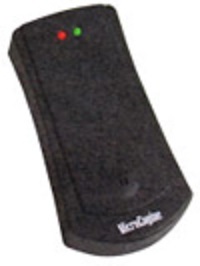
Description\n\n* Standalone Proximity Access System (Supports up to 40 card users, cater for small to medium size requirement)\n\n* benefits\n* features\n* Configuration Diagram\n* Documentation\n* faq\n\n| | | |\n| --- | --- | --- |\n| No | Item | Features |\n| 1. | Simple Design | * Easy to use * Easy to maintain * Easy to program |\n| 2. | Pin Only Access | * Use 4 digits secret code to access * Multiple sets of code * Codes can be re-programmed easily |\n| 3. | Proximity Card Technology | * Easy to use * Reliable technology * High durability * Just touch the card to access |\n| 4. | Standalone Architecture | * Easy to install * No PC is required to operate * LED and audio buzzer indication |\n| 5. | Reliable Technology | * Designed with proven and reliable technology * Built-in System Integrity Monitoring System for maximum reliability |\n\n| | | |\n| --- | --- | --- |\n| No | Item | Features |\n| 1. | Standalone Operations | Yes |\n| 2. | Onboard Memory EEPROM | Yes |\n| 3. | Pin Access | No |\n| 4. | Card User Capacity | 40 |\n| 5. | Keypad | No |\n| 6. | Continuous Card Read when door is opened | Yes |\n| 7. | Onboard Buzzer | Yes |\n| 8. | Firmware Flash Memory | Yes |\n| 9. | Polarity Protection for Power Input | Yes |\n| 10. | LED Indication | Yes (Red & Green) |\n| 11. | Durable Epoxy Coated Keypad | No |\n| 12. | Power 12VDC | Yes (200mA) |\n| 13. | Dimension (H x W x D) | 100mm x 53mm x 20mm |\n| 14. | Configurable Lock Release Time | No (Fixed to 10sec) |\n| 15. | Configurable Door Open Time | No (Fixed to 20sec) |\n| 16. | Controller/Reader Mode | No |\n\n**\*** Specifications subject to change without prior notice\n\n\n\n#image\_431428332 {\nwidth: 100%;\n}\n\n \n \n\n\n\n#image\_1743357939 {\nwidth: 100%;\n}\n\n| | |\n| --- | --- |\n| No | Documentation |\n| 1. | PDF-Icon Product Brochure: XP-SR40 |\n\n### FAQ\n\n1. I have purchased XP-SR40 and I need to…\n\n* To install the reader, follow the wiring connection diagram provided, see article ID: AA-00242\n\n2. I have installed XP-SR40 at my site, but how do I configure the controller\n\n* To reset the controller to factory default setting (Coldstart), see article ID: AA-00241\n* To program Master Card, see article ID: AA-00245\n* To install, delete and clear all cards, see article ID: AA-00246\n\n3. Troubleshooting Guide\n\n* The reader keeps on produced beeping sound when door is closed, see article ID: AA-00247\n* The reader keeps on produced beeping sound every 1 second, see article ID: AA-00251\n* EM lock does not release when exit button is pressed, see article ID: AA-00248\n* EM lock does not release after scan a user card which has been installed, see article ID: AA-00249\n* EM lock always in disengage/ release condition, see article ID: AA-00250\n* 6. Can I create a copy/ duplicate the Master card? No, you can’t. The Master card only can be initialized once after the reader has been Coldstart. See article ID: AA-00245 to create a new Master card\n\nmore support information
 \n\n#image\_431428332 {\nwidth: 100%;\n}\n\n \n \n\n
 \n\n#image\_1743357939 {\nwidth: 100%;\n}\n\n| | |\n| --- | --- |\n| No | Documentation |\n| 1. | PDF-Icon Product Brochure: XP-SR40 |\n\n### FAQ\n\n1. I have purchased XP-SR40 and I need to…\n\n* To install the reader, follow the wiring connection diagram provided, see article ID: AA-00242\n\n2. I have installed XP-SR40 at my site, but how do I configure the controller\n\n* To reset the controller to factory default setting (Coldstart), see article ID: AA-00241\n* To program Master Card, see article ID: AA-00245\n* To install, delete and clear all cards, see article ID: AA-00246\n\n3. Troubleshooting Guide\n\n* The reader keeps on produced beeping sound when door is closed, see article ID: AA-00247\n* The reader keeps on produced beeping sound every 1 second, see article ID: AA-00251\n* EM lock does not release when exit button is pressed, see article ID: AA-00248\n* EM lock does not release after scan a user card which has been installed, see article ID: AA-00249\n* EM lock always in disengage/ release condition, see article ID: AA-00250\n* 6. Can I create a copy/ duplicate the Master card? No, you can’t. The Master card only can be initialized once after the reader has been Coldstart. See article ID: AA-00245 to create a new Master card\n\nmore support information